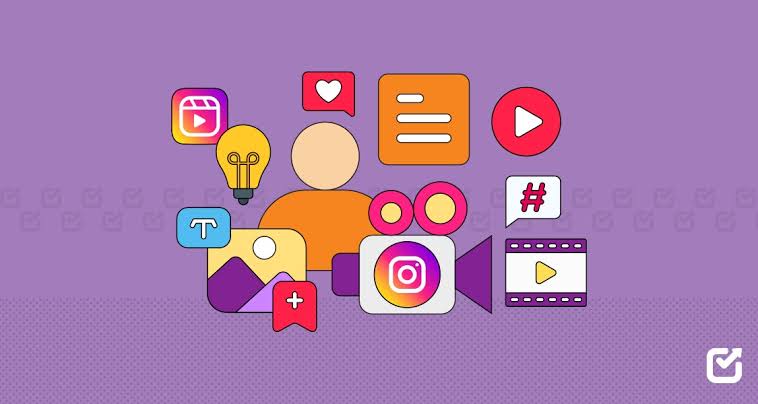
One piece of content does not always need to stay in one format. A creator can take the same idea and turn it into a Reel, carousel, Story, photograph, live discussion, or short educational post.
This ability to adapt content has become an important creator skill because different formats behave differently. A Reel may be useful for discovery, while a carousel may explain a complicated topic more clearly. Stories can create quick interaction, while a live session can build deeper conversations.
The smart creator learns how to change the presentation without losing the original idea.
Start With the Core Idea
Before choosing a format, identify the main message.
Suppose a fitness creator wants to explain why people struggle to stay consistent with exercise.
That single idea can become:
- A Reel with three quick mistakes
- A carousel explaining each mistake
- A Story poll asking followers about their biggest problem
- A Live session discussing solutions
- A short talking-head video answering questions
The topic stays the same.
The delivery changes.
Reels Are Useful for Quick Attention
Short videos are naturally suited to visual demonstrations.
Creators can use Reels for:
- Tutorials
- Transformations
- Demonstrations
- Quick tips
- Behind-the-scenes content
- Reactions
- Storytelling
- Product examples
The opening matters because viewers can quickly scroll away.
A strong Reel usually gets to the point quickly.
Instead of spending ten seconds introducing yourself, start with the useful part.
Carousels Can Slow Things Down
Some topics need more explanation.
A carousel can break one idea into several steps.
For example:
Slide 1: Five mistakes new photographers make
Slide 2: Using poor lighting
Slide 3: Ignoring composition
Slide 4: Editing too much
Slide 5: Not backing up files
Slide 6: Practical solution
The viewer can move through the information at their own pace.
This makes carousels useful for educational creators.
Stories Are Great for Conversation
Stories do not always need polished production.
They can be casual.
Creators can use:
- Polls
- Questions
- Quizzes
- Behind-the-scenes clips
- Product previews
- Daily updates
- Quick opinions
A creator might publish a Reel about healthy breakfast ideas and then use Stories to ask followers which breakfast they actually eat.
Now the content becomes a conversation.
Live Content Has a Different Purpose
Live sessions allow creators to spend more time with their audience.
They can be useful for:
- Q&A sessions
- Interviews
- Tutorials
- Product demonstrations
- Discussions
- Launch events
- Community conversations
A live session does not need the same editing as a Reel.
The value comes from real-time interaction.
One Idea Can Become a Content Series
Creators should stop thinking that every post needs a completely new idea.
One strong topic can produce several pieces of content.
For example, a travel creator visits Jaipur.
The trip could produce:
Reel: Three places worth visiting
Carousel: One-day itinerary
Story: Hotel and food clips
Photo: Main attraction
Live: Questions about the trip
This saves creative energy.
Instead of inventing five unrelated ideas, the creator develops one useful experience across multiple formats.
Adapt the Hook Too
The same message may need a different opening depending on the format.
A Reel might start with:
“Three things I would never do on my first trip.”
A carousel might say:
“Planning your first trip? Save this checklist.”
A Story might ask:
“What is your biggest travel mistake?”
Same subject.
Different entry point.
Think About the Audience’s Situation
Format choice should depend on what the viewer needs.
Use a short video when people need to see something.
Use a carousel when they need to understand something.
Use Stories when you want interaction.
Use Live when the topic benefits from discussion.
Use photographs when visual quality is the main point.
This simple rule can make content planning much easier.
A Practical Example for a Small Business
Imagine a local salon wants to promote hair-care services.
Instead of making ten identical promotional posts, the salon could create:
- Reel showing a transformation
- Carousel explaining hair-care mistakes
- Story poll asking about common hair concerns
- Client testimonial
- Behind-the-scenes clip
- Live Q&A with a stylist
Now the account feels like a useful resource instead of a digital poster board.
Repurposing Does Not Mean Copying
There is a difference between repurposing and simply reposting the same thing.
Repurposing means changing the content so it works naturally in another format.
A 60-second Reel may become a five-slide carousel.
A long Live discussion may become three short Reels.
A customer question may become a Story poll.
The original idea stays, but the presentation changes.
Watch the Performance by Format
Creators should avoid comparing every format using the same metric.
For example:
A Reel may receive many views.
A carousel may receive fewer views but more saves.
A Story may receive fewer overall impressions but many replies.
A Live may have a small audience but generate meaningful questions.
Each format can serve a different purpose.
Track:
- Reach
- Views
- Saves
- Shares
- Replies
- Comments
- Profile visits
- Link clicks
- Watch time where available
Look for patterns instead of obsessing over one number.
Do Not Chase Every New Format
Instagram changes regularly, and creators often feel pressure to use every new feature.
That is not necessary.
A creator should focus on formats that match their content and audience.
A technical educator may benefit from carousels and screen-recorded Reels.
A fashion creator may focus on Reels and Stories.
A photographer may rely heavily on images while using Reels to show behind-the-scenes work.
There is no requirement to use everything.
Build a Simple Weekly System
A creator can make content adaptation part of the weekly workflow.
For one main topic:
Monday: Research
Tuesday: Record main video
Wednesday: Publish Reel
Thursday: Turn the idea into a carousel
Friday: Ask a Story question
Saturday: Share behind-the-scenes content
Sunday: Review performance
This approach reduces pressure because the creator is building around one central idea.
The Practical Lesson
Content adaptation is not about creating more work for yourself.
It is about getting more value from good ideas.
A creator who learns to move one useful idea across several formats can build a stronger content system without constantly starting from zero.
The best question is not “What should I post today?”
A better question is:
“What useful idea do I already have, and which format will explain it best?”
That small change in thinking can make content creation much more manageable.